Built for locum
GPsanaesthetistspaediatriciansradiologistsdermatologistsophthalmologistspharmacistsED doctorssurgeonsnursesdentists
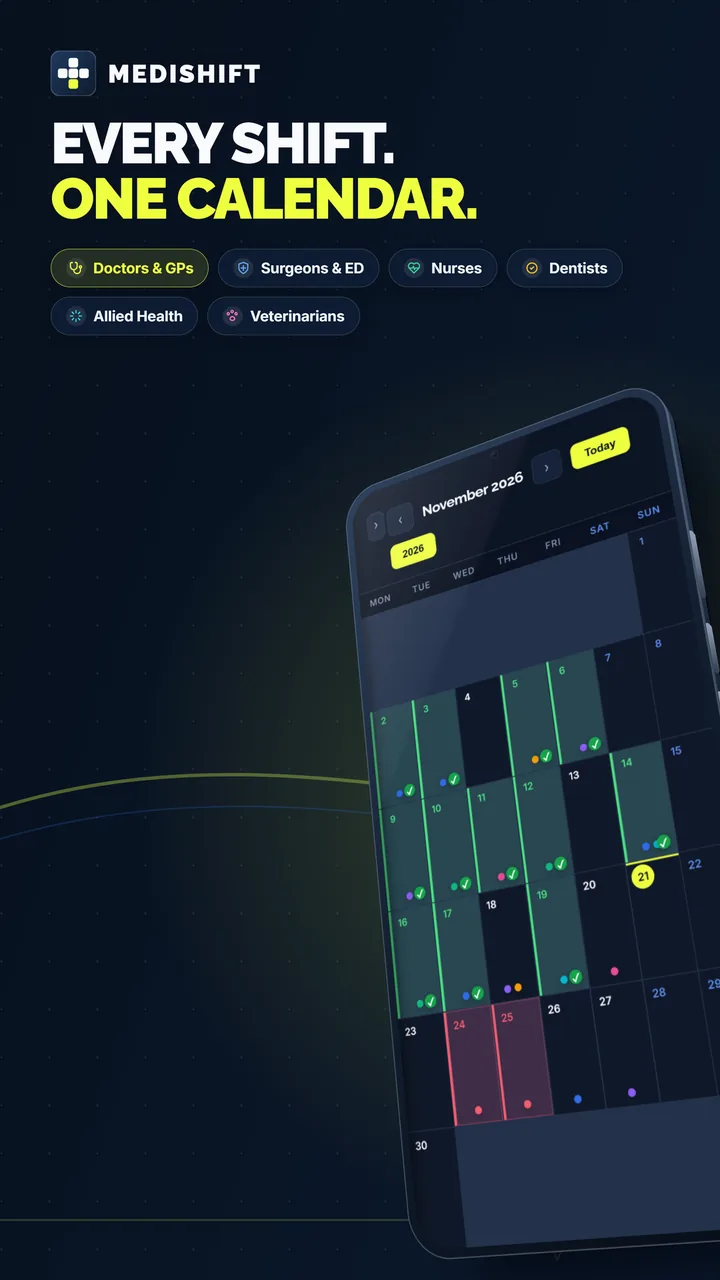
Every shift.One calendar.
The shift calendar, invoicing and expense tracker for locums across medicine.
Book a shift in seconds, invoice it in one tap, and always know
exactly what you’re owed — on your phone and at your desk.
Every specialty keeps its own hours. MediShift keeps up.
Locum work looks different in every corner of medicine. Pick yours: the model is yours to turn, and the fortnight beside it is how that work lands in the app — full days, half days, split shifts, nights and days off.
Stethoscope· drag to turn
For locum GPs
General practice
Morning and afternoon sessions across several practices. Book them as halves, or as one split shift when there’s a gap in the middle, and each practice keeps its own agreed rate.
A typical fortnight
Mon
Tue
Wed
Thu
Fri
Sat
Sun
Full day
Morning
Afternoon
Split
Night
Off
And psychiatry, physiotherapy, midwifery, paramedics, vets — anyone who works shifts for more than one employer.
4ways to book a shift: full day, half day, split or repeating
1tap from finished shifts to a tax invoice
0ads, subscriptions or patient-name fields
100%usable offline, with or without an account
How it works
From the rota to the bank, in six screens.
MediShift follows a shift from the day you accept it to the day it’s paid. Nothing to set up first: add a practice, book the day, and the rest follows.
01
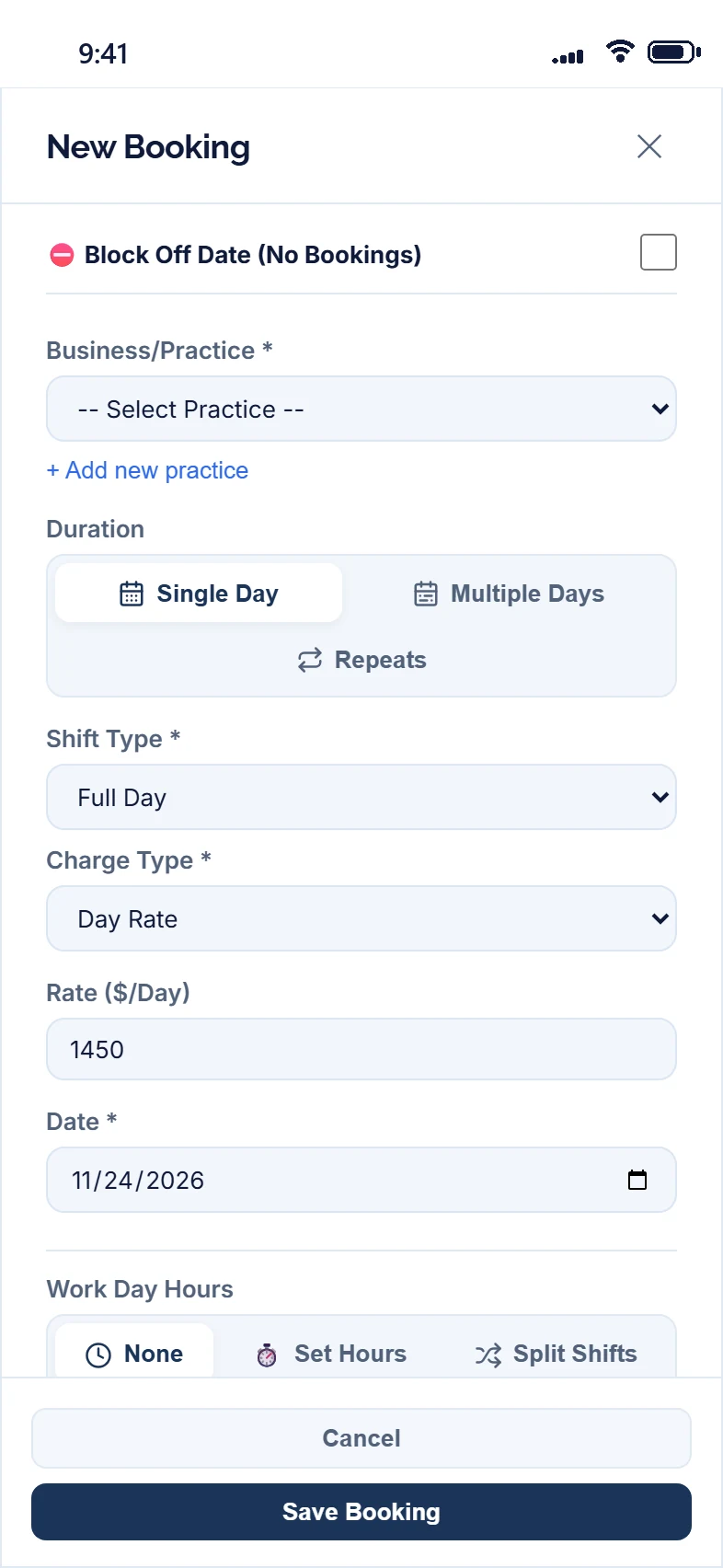
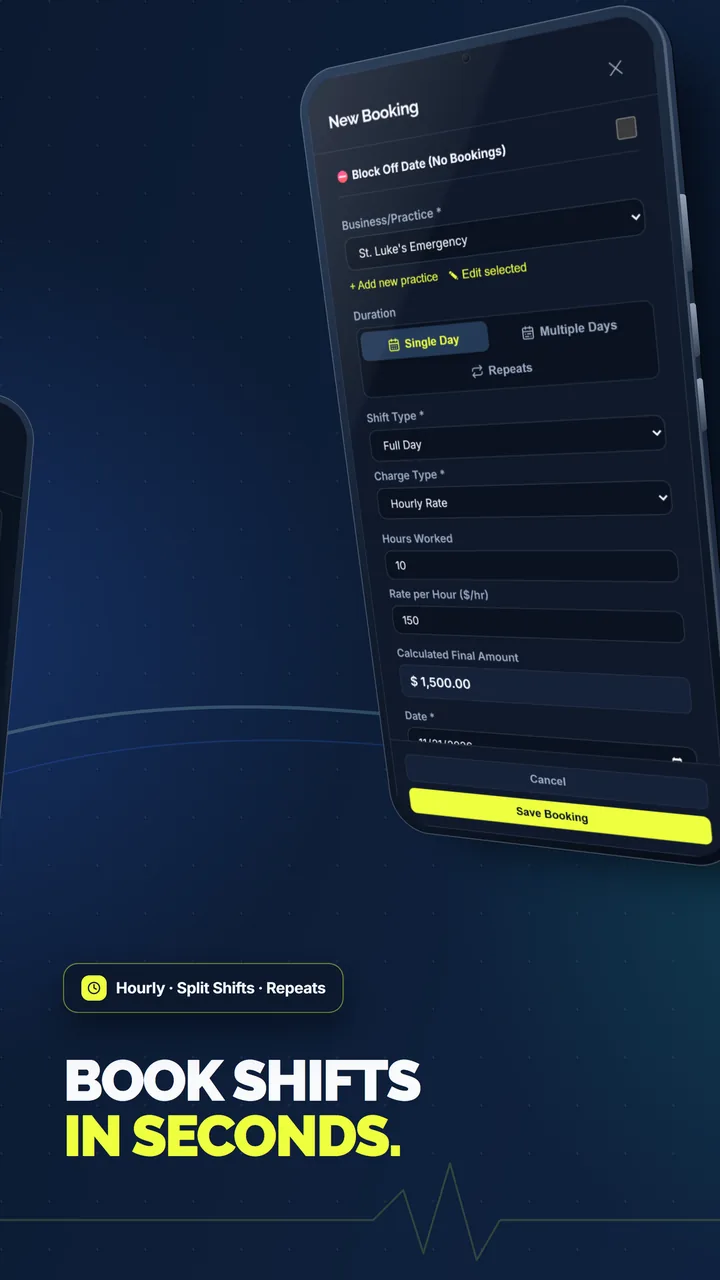
Book a shift in seconds
Pick the practice and the day, and the rate fills itself in from your defaults or that practice’s own. Full day, morning, afternoon or a split shift with set hours; a block of days, or a booking that repeats every week until you say stop.
Full, half and split
Repeating bookings
Double-booking warnings
02
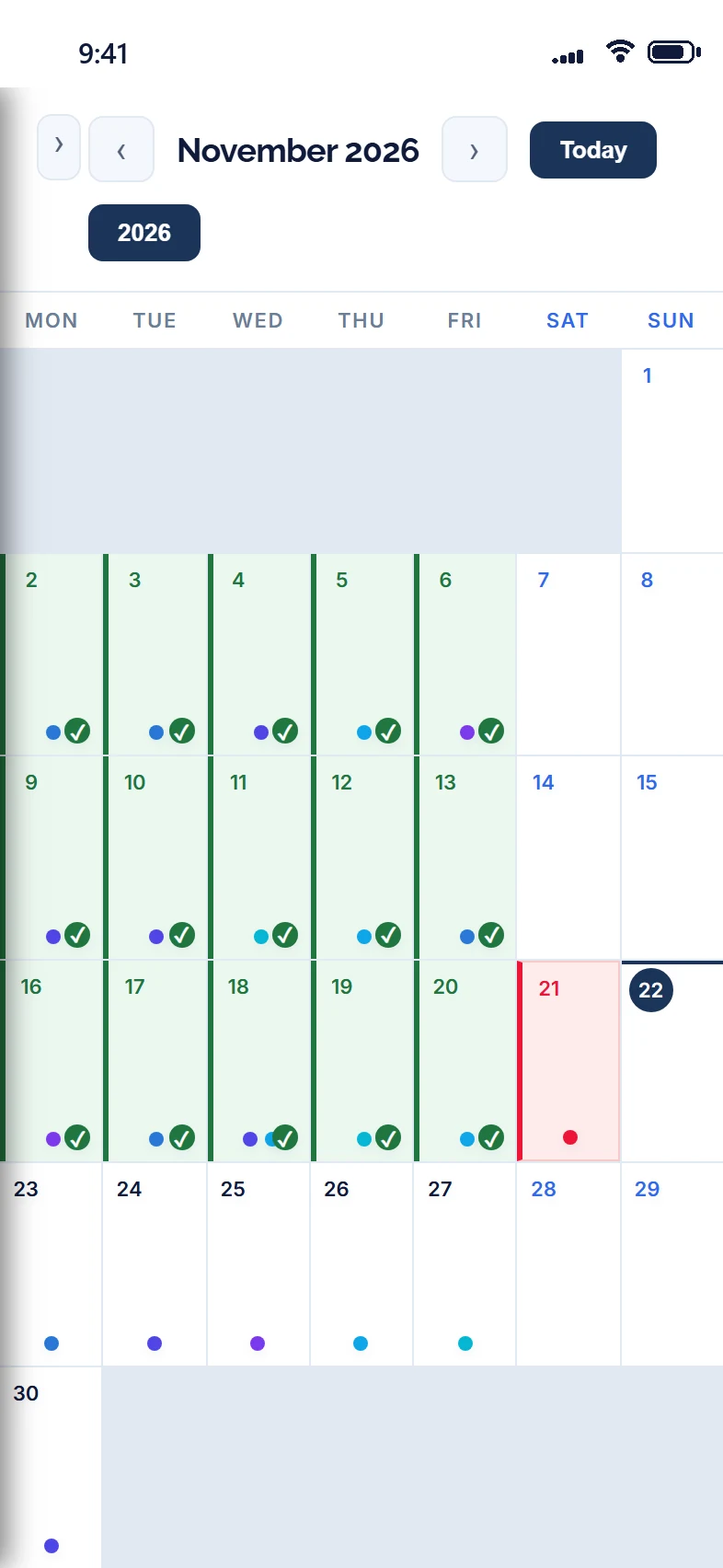
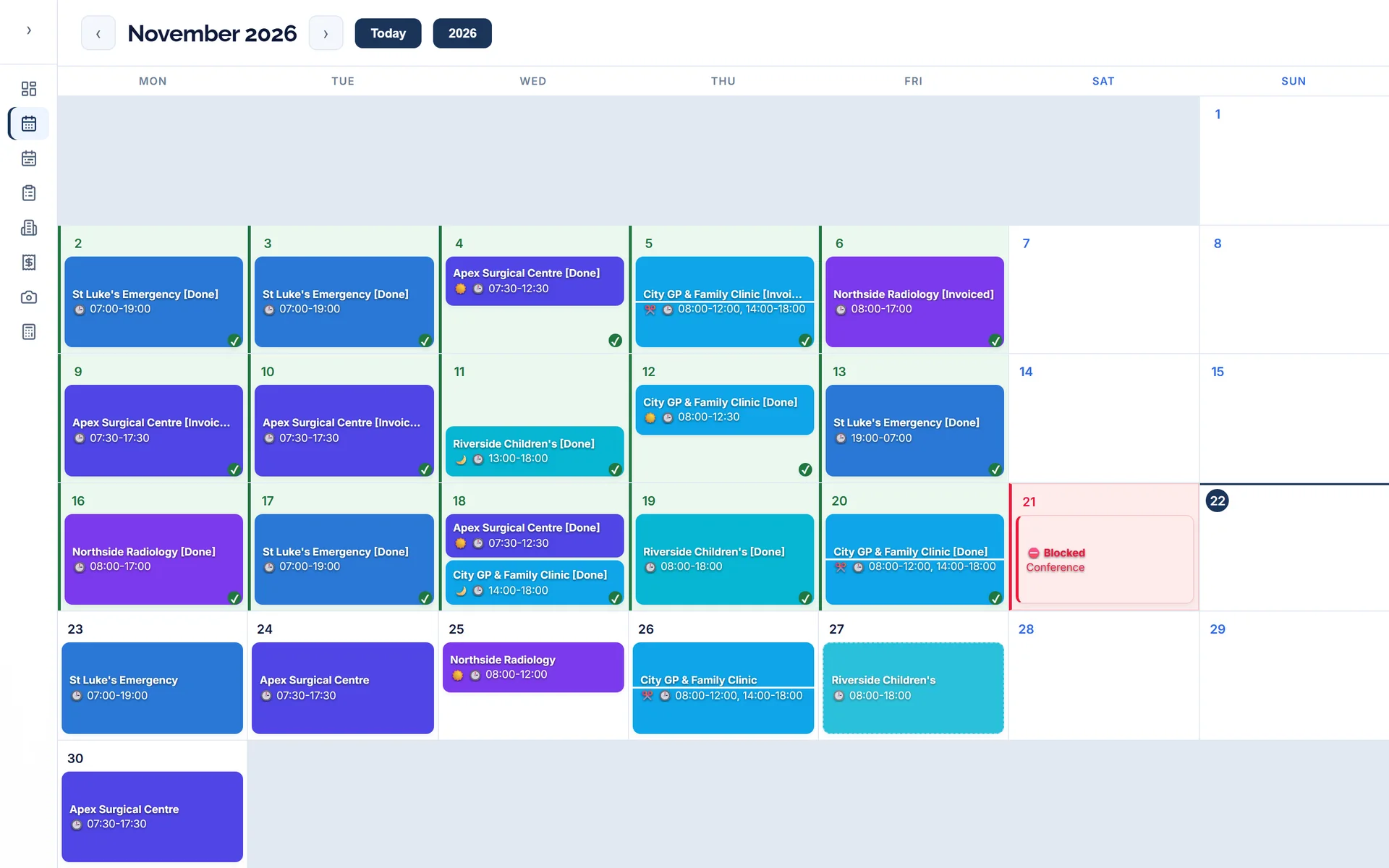
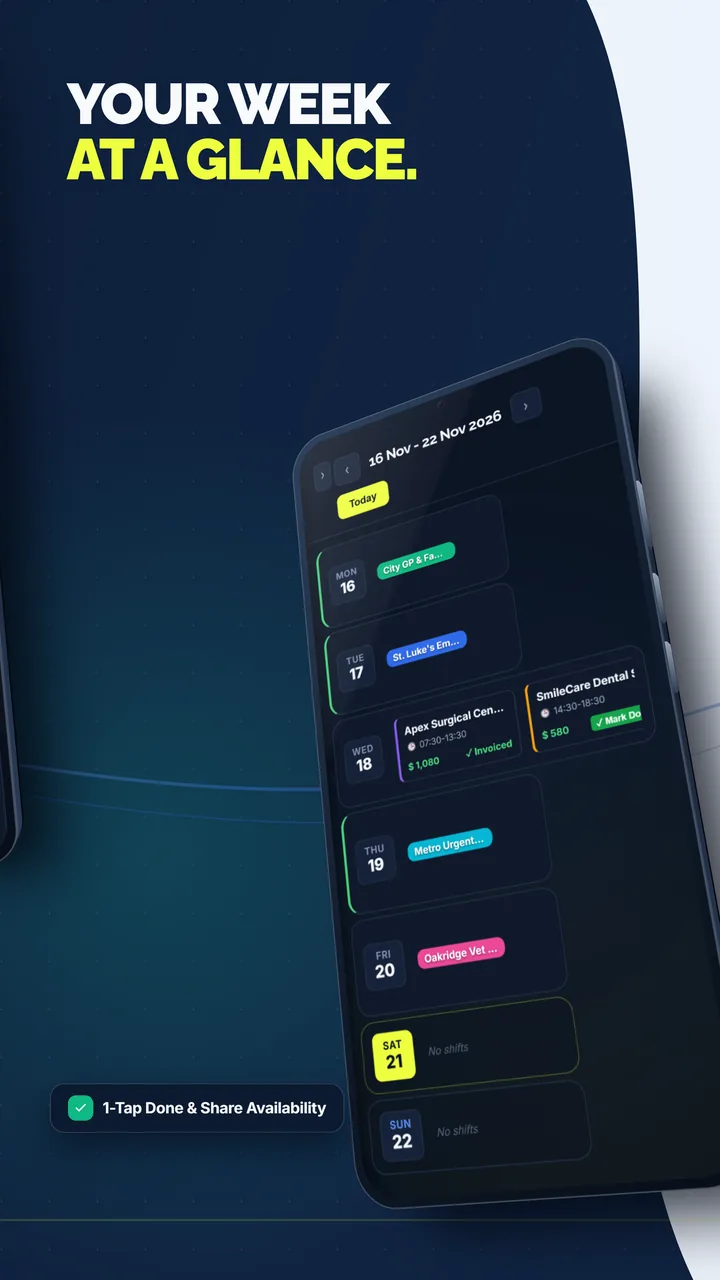
See the month at a glance
Every shift lands on one calendar, coloured by practice. Block off holidays and personal days, swipe between months or open the year view. Mark a shift done and it ticks itself off, ready to invoice.
A colour per practice
Blocked-off days
Year view
03
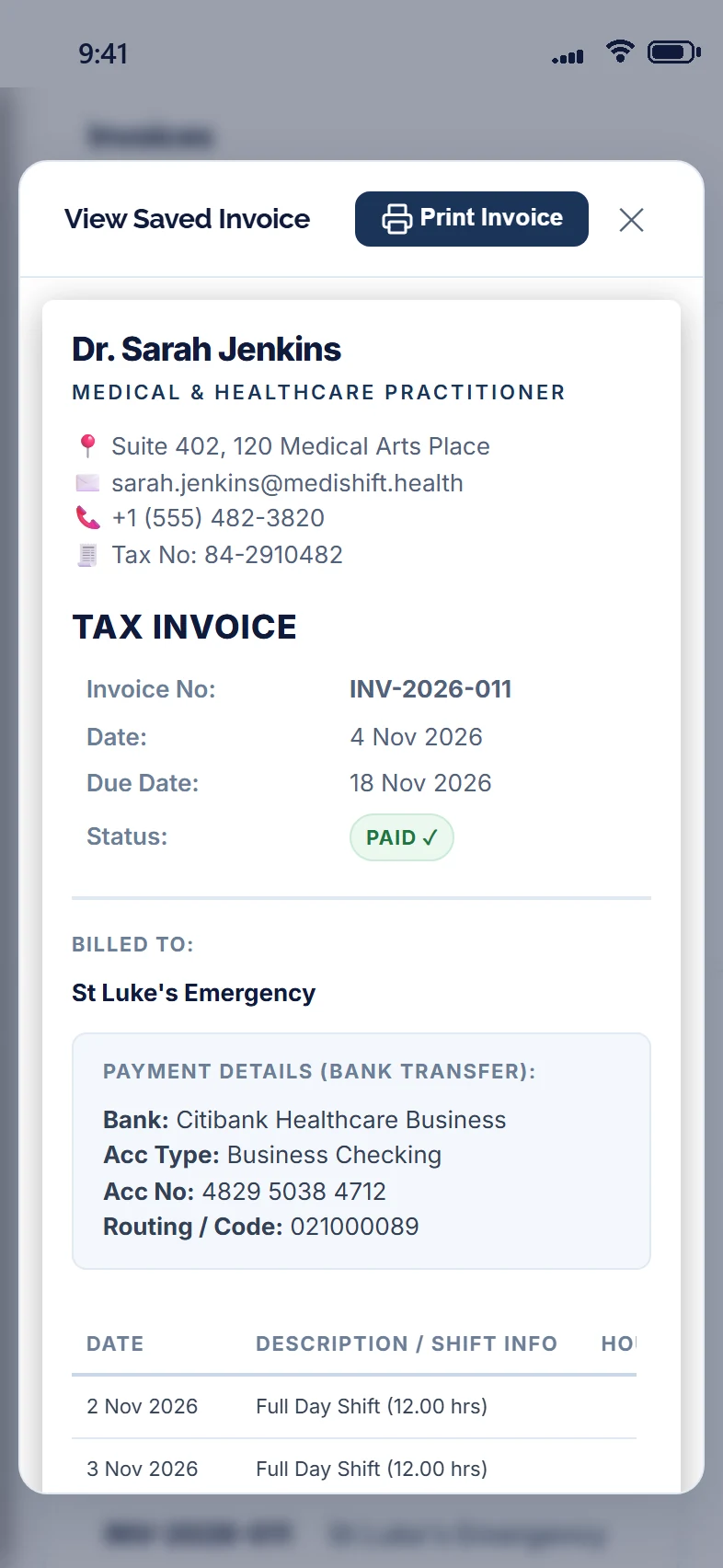
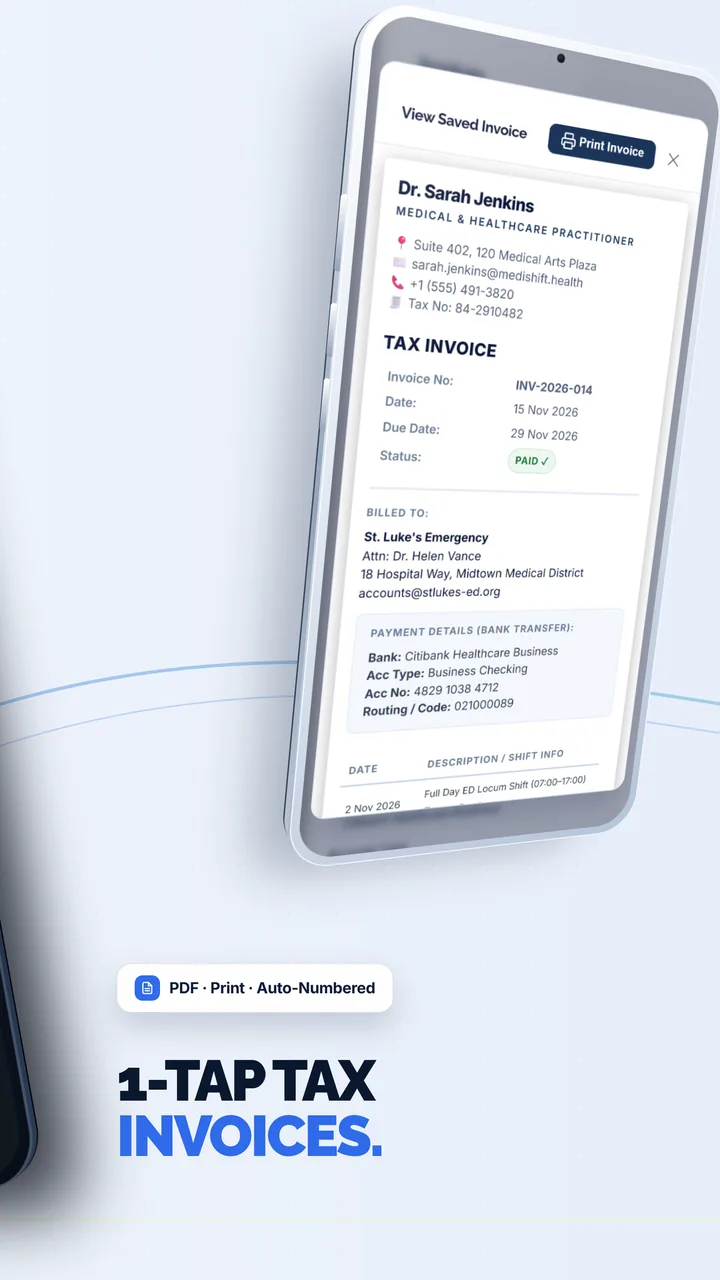
Invoice in one tap
Choose a practice and a date range, and your finished shifts become invoice lines. Weekend and public-holiday shifts are labelled; your name, address, tax number and bank details are on it. Print it, or save it as a PDF.
Auto-numbered
Your own letterhead
PDF and print
04
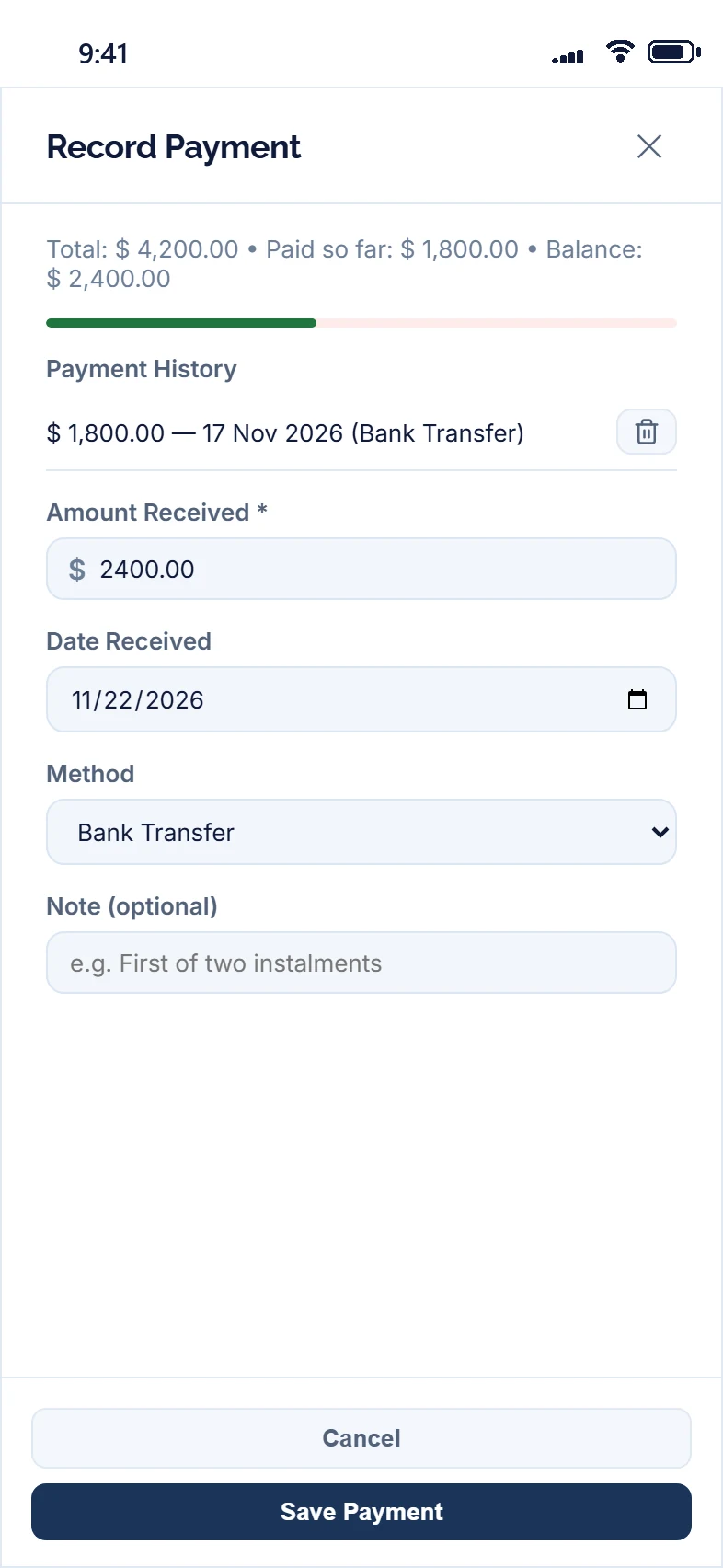
Know what you’re owed
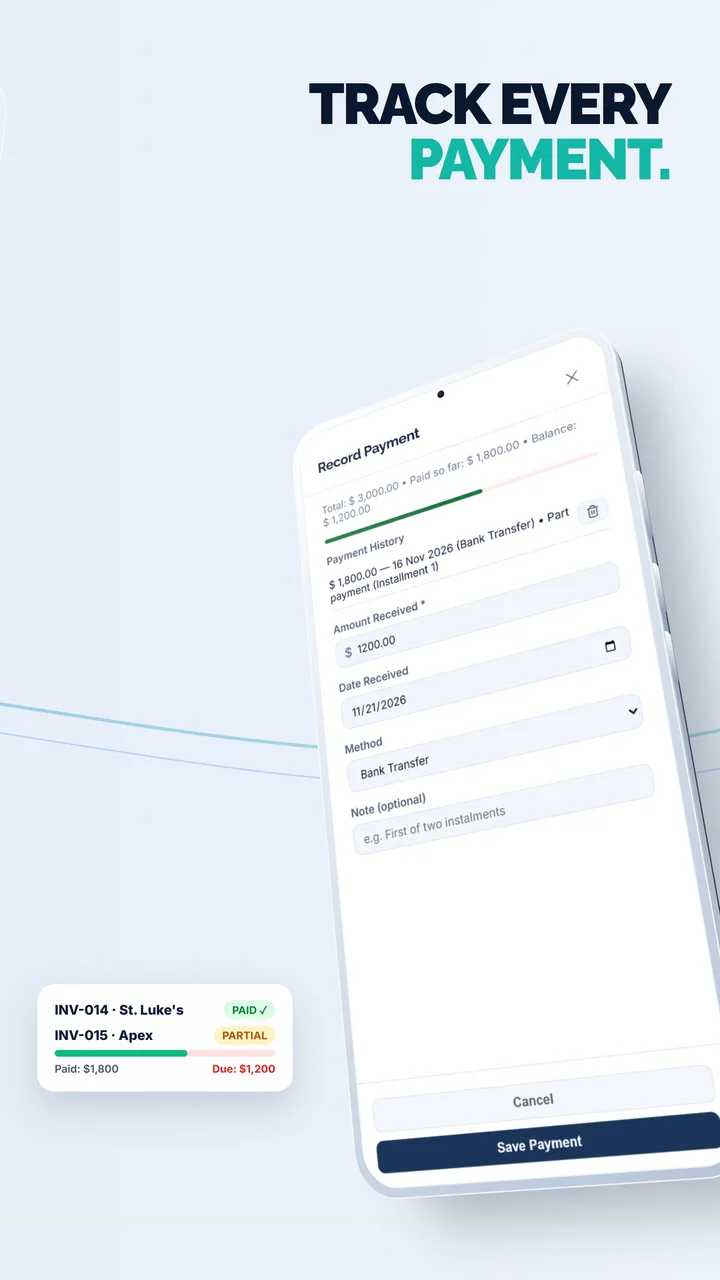
Record part-payments as they land and watch the balance close. Overdue invoices flag themselves, and MediShift drafts a polite follow-up — firmer once it’s genuinely late — to paste into WhatsApp or email.
Part-payments
Overdue flags
Follow-up drafts
05
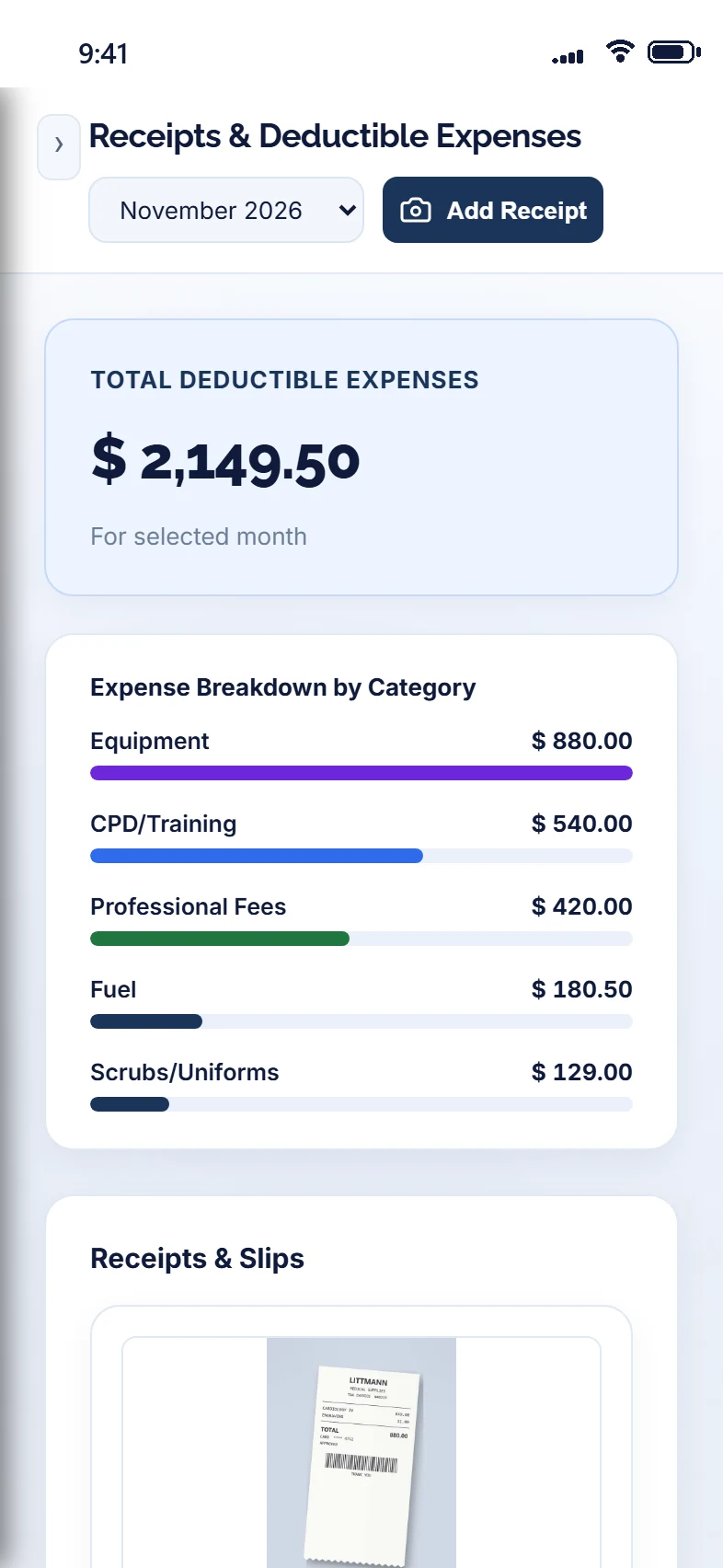
Keep every receipt
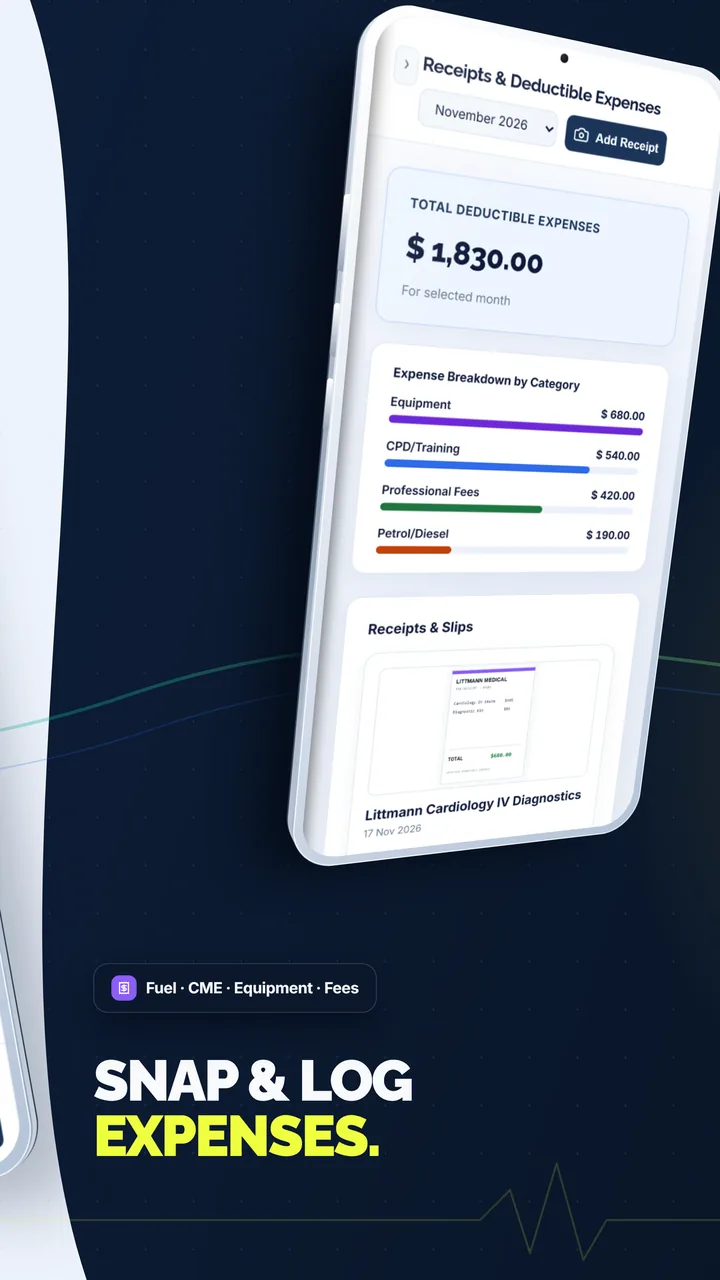
Photograph fuel, scrubs, CPD courses, equipment and professional fees. MediShift totals them by category and estimates your travel deduction from the kilometres you’ve driven between shifts.
Photos stay on your phone
Totals by category
Mileage
06
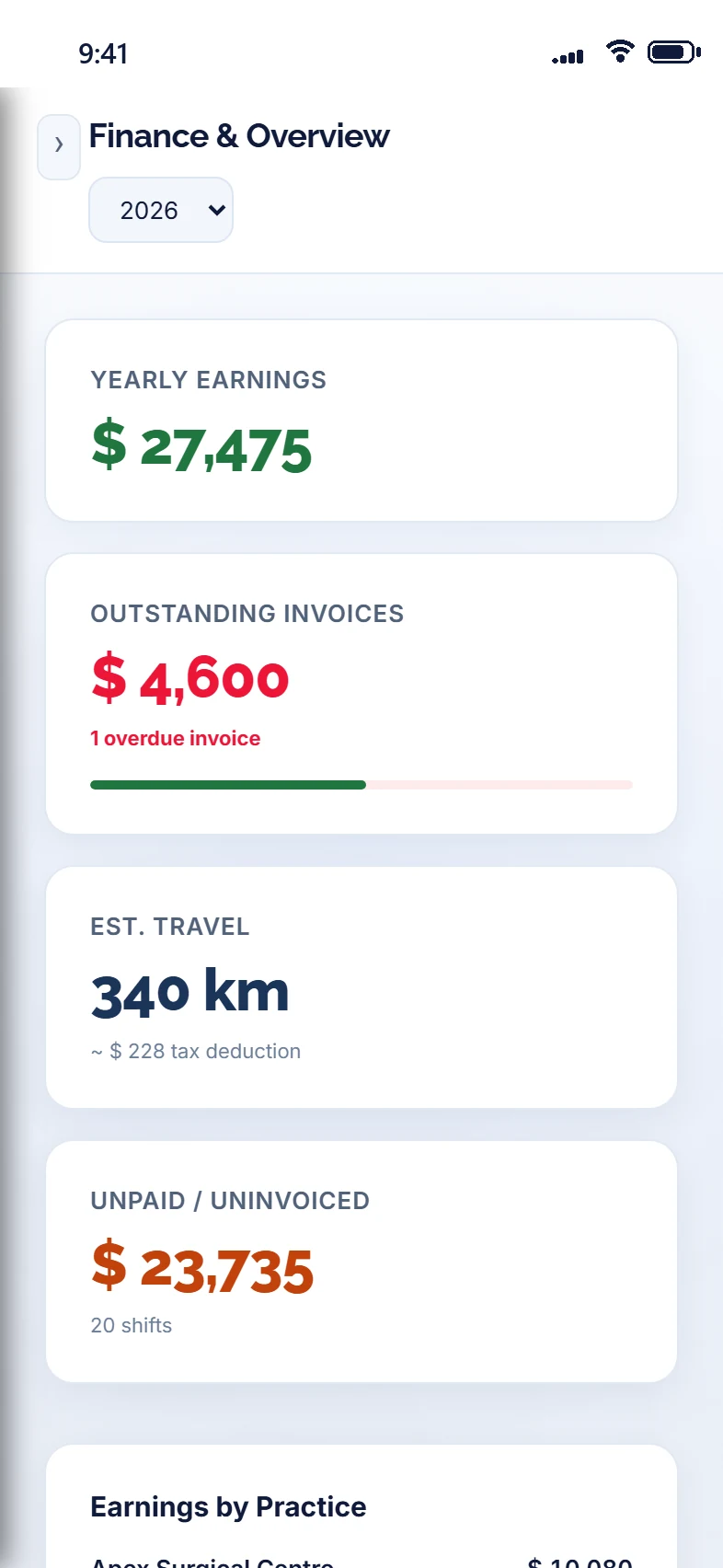
Own your earnings
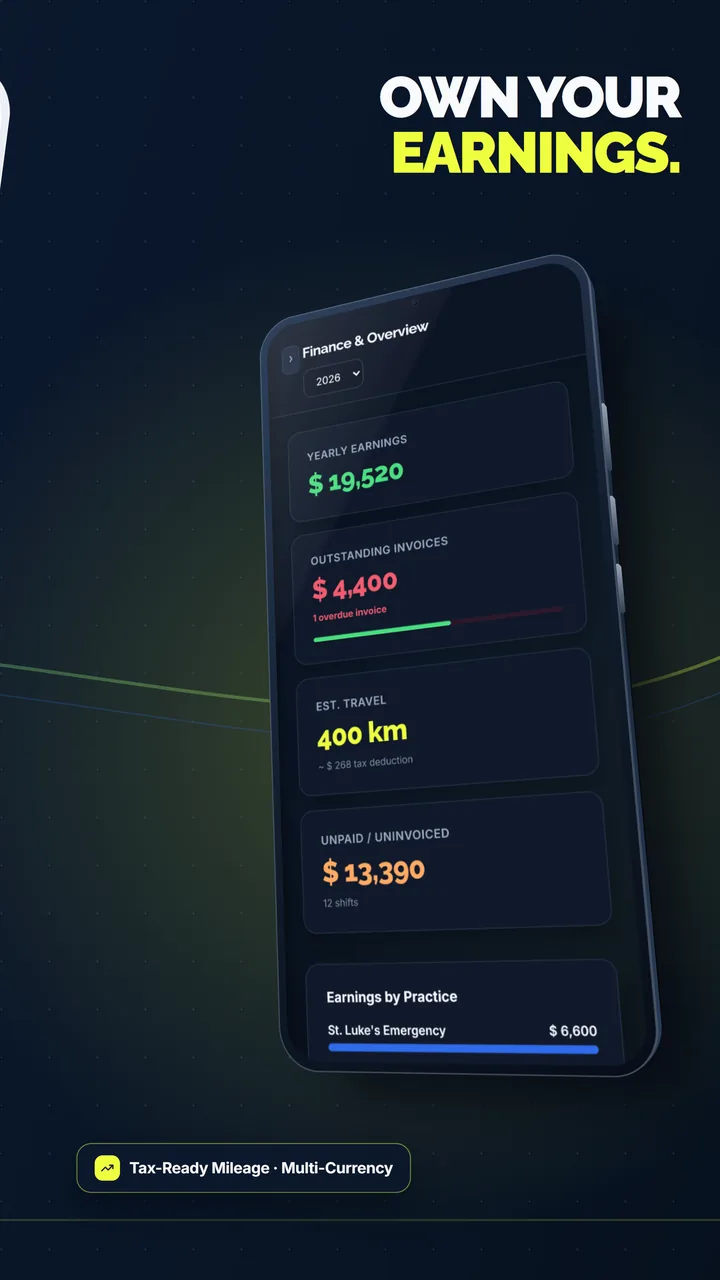
Yearly earnings, what’s still outstanding, earnings by practice and the mileage you can claim — in whatever currency you invoice in. Export a backup whenever you like; it’s your record.
Any currency
Earnings by practice
Full backup
Phone and desk
On the ward. At your desk.
The same calendar on your phone and in your browser. Plan next month on a big screen, mark today’s shift done on the way out. Sign in once and every shift, invoice and receipt follows you — or skip the account and keep it all on the device.
Android app and web app, one calendar
Sign in with Google or email, only if you want sync
This is MediShift’s booking model, working. Choose a practice and a shift type, then tap days — the invoice writes itself. Book over a shift that’s already there and you’ll meet the clash warning.
MonTueWedThuFriSatSun
Tap a day to book it. Tap it again to remove it.
Dr Sarah Jenkins
Locum medical practitioner
TAX INVOICEINV-2026-015
Billed to
St Luke’s Emergency
Issued
Due
No shifts at this practice yet — book one on the calendar.
Total due$ 0.00
Unpaid
PAID
Sample rates. In the app they’re yours, per practice and per shift type.
On Google Play
Eight screens. Every shift.
Keep scrolling to panSwipe to see them all
Why it works
Made for the way locum work actually goes.
Works with no signal
Offline-first, so the shift still gets logged in a basement theatre or a rural clinic. Sign in only if you want backup and sync.
Any currency, any country
Rates, invoices and earnings in $, £, €, R and more, with a travel-deduction rate you set to your own tax authority’s.
Private by design
There are no patient fields anywhere. Receipt photos never leave your device, and you can delete your account — and everything in it — from inside the app.
Every practice, side by side
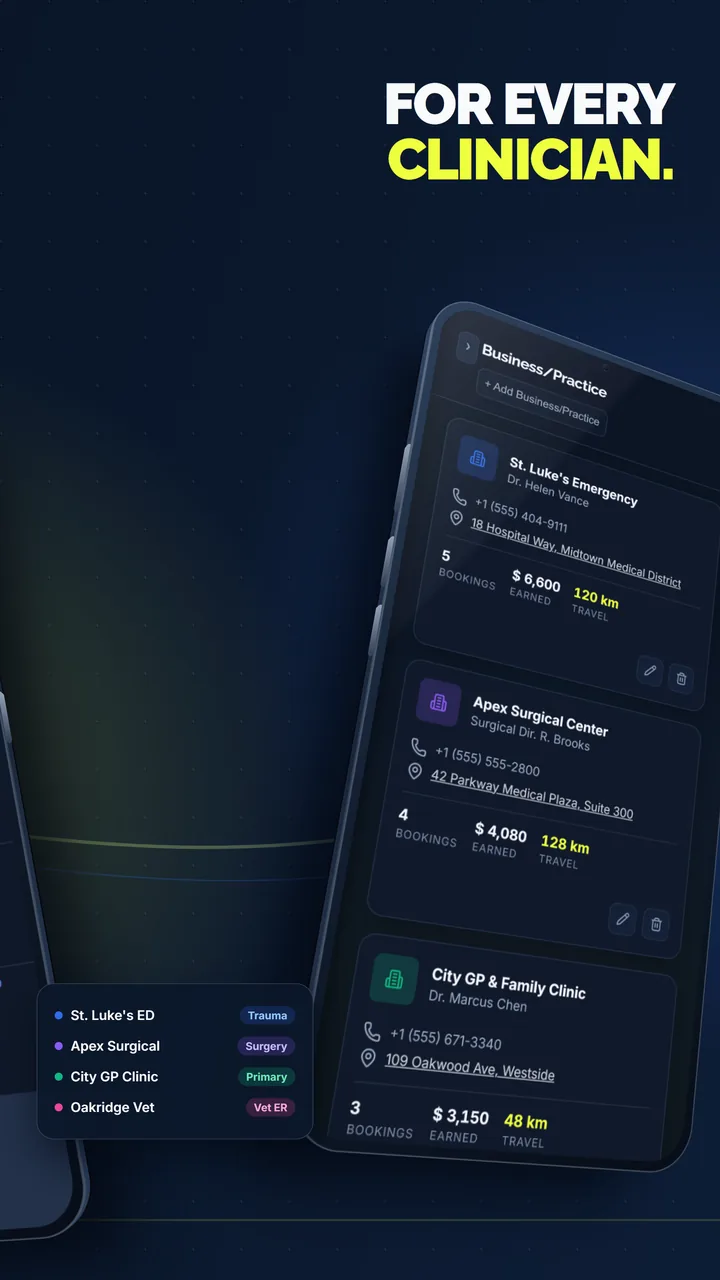
Hospitals, clinics, agencies and pharmacies on one calendar, each with its own colour, contact, mileage and agreed rate.
Phone and desktop
The Android app and the web app share one calendar. Plan next month on your laptop, mark today’s shift done on your phone.
Free, properly
No ads, no in-app purchases, no subscription and no trial. Every feature is there for everyone.
Good to know
MediShift is a personal work and billing organiser. It isn’t an accounting
package or a tax return, and it doesn’t replace advice from your accountant or your
practice’s own records. Check any invoice before you send it. It holds no patient
information. Read the Terms of Use and the
Privacy Policy, or see how to
delete your account.
Your next shift belongs in a calendar, not a group chat.
Free on Android and in your browser. Works offline from the first tap. Your record, exportable whenever you want it.